
Invite teammates
1
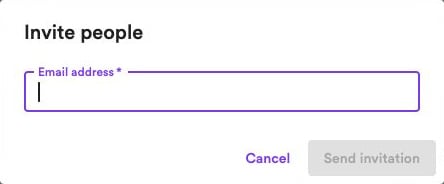
Create an invitation
Click Invite people and enter your teammate’s email address.
2
Send the invitation
Click Send invitation. Your teammate receives an email with a link to join this website.
Team seats include the owner, teammates, and pending invitations. Starter includes one seat, Creator includes three, and Business includes fifteen. See Plans and billing.
Manage invitations
Open the Invited tab to see pending invitations:- Resend — Send the invitation again.
- Revoke — Cancel the invitation and free its reserved seat.
Manage teammates
Under Teammates, view the people who have joined. Click Remove beside a teammate and confirm to revoke their access to this website. Teammates can work with articles and website settings. They don’t receive access to your other websites or your personal account. Billing, team management, connected-channel management, reader payment settings, and website deletion remain under the owner’s control.If your plan no longer includes enough team seats, the newest teammates are suspended first. Their access is restored automatically when a seat becomes available.