
Metadata
Under Meta data, customize the information used when your website appears in search results or shared links.Search
Select Search to edit your Meta title and Meta description. Use the search preview to review your changes, then click Save changes.Social sharing
Select Social sharing to customize the Social title, Social description, and sharing image, then click Save changes. These settings describe your website. Individual articles and pages also have their own metadata settings.Previews show how your website could appear. Search engines and social platforms decide what to display and may take time to pick up changes.
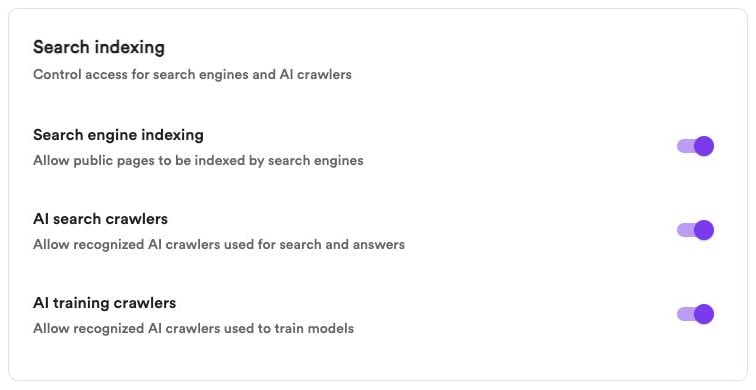
Search indexing
Under Search indexing, choose which types of crawlers you allow:- Search engine indexing — Allow public pages to be indexed by search engines.
- AI search crawlers — Allow recognized AI crawlers used for search and answers.
- AI training crawlers — Allow recognized crawlers used for model training.
These preferences apply to crawlers that honor your website’s directives. They don’t guarantee indexing, inclusion in AI answers, or compliance by every crawler. Use membership access to restrict who can read content.
Sitemap
Convella maintains a sitemap at/sitemap.xml to help search engines discover published content.
Under SEO & AI visibility → Sitemap, use the switch to enable or disable it. When enabled, click the open-in-new-tab icon to view it.
Search engine indexing must be enabled to publish your sitemap.
LLMs.txt
Convella provides an editable/llms.txt file with an overview of your website and useful links for AI tools.
Open SEO & AI visibility → LLMs.txt, enable the file, and click Edit to customize its content. Click Save changes when you’re finished.
Turn off the switch to stop publishing the file.
Your sitemap and llms.txt are only available while your website is live and public. Private and offline websites don’t expose these files.