
Convella subdomain
Every website includes an address such asyourname.convella.com, so you can launch without buying a domain.
To change it, click Edit beside Subdomain, enter an available name, and click Update. This option is shown while your website doesn’t have a connected custom domain.
Add a custom domain
Click Add custom domain to open the guided setup. You can buy a new domain or connect one you already own.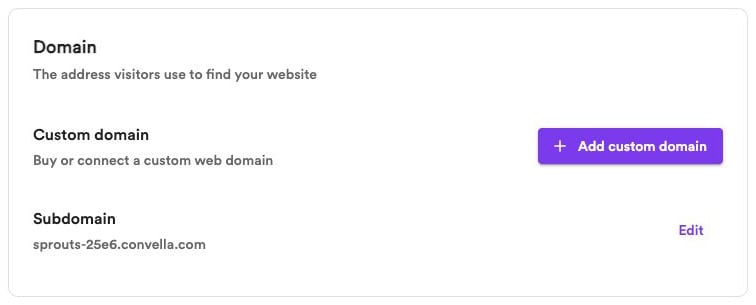
Buy a new domain
Choose the option to buy a domain, search for a name, and select an available result. Complete checkout with the domain provider shown in the setup flow. Convella uses Entri to guide the purchase and configure the domain connection. Keep your domain provider’s account details for managing renewals and billing later.Connect an existing domain
Choose the option to connect a domain and enter the address you own. Follow the prompts to identify your DNS provider and authorize the required DNS changes. If the flow offers manual setup, follow the DNS instructions it provides. Use the records shown for that domain; another website’s records or older setup instructions may differ. Connecting your domain doesn’t transfer its registration to Convella. Keep the verification TXT record in place after the connection succeeds, and preserve unrelated email records when changing website DNS.Check your connection
After setup, your domain appears in Domain settings with its current status. Click Edit to see the details. You may also see a domain-status notice in the dashboard sidebar; click it to open the same settings.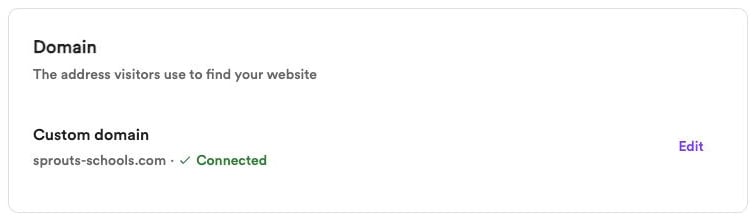
Waiting for DNS or SSL
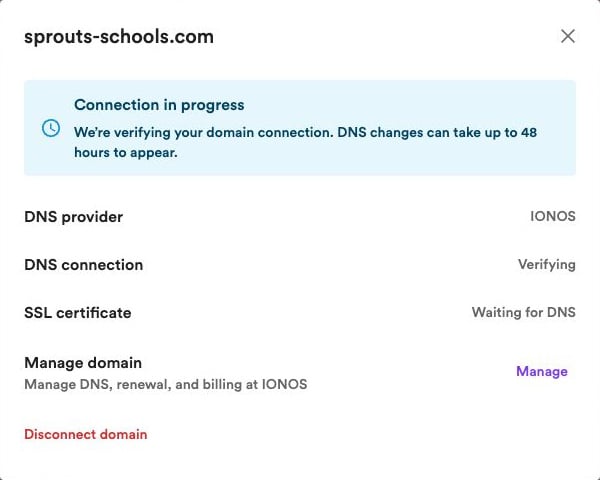
While DNS is being checked, DNS connection shows Verifying. The SSL certificate may show Waiting for DNS. Once DNS is verified, DNS connection shows Verified while Convella sets up the SSL certificate. The certificate may show Processing before becoming Active.DNS changes can take up to 48 hours to appear. If the message says DNS is verified and SSL is being set up, no further DNS changes are needed.
Connection emails
After you submit a domain connection, Convella checks its progress about once an hour. The website owner receives an email when the domain and its secure HTTPS connection are ready. Connecting a domain does not make a private website public. If the connection is still incomplete after 72 hours, we’ll send one email with a link to review your domain settings. If it connects later, you’ll still receive the success email. Canceled or replaced connection attempts don’t receive these notifications.Manage your domain
Click Edit beside your domain to review its DNS provider, DNS connection, and SSL certificate.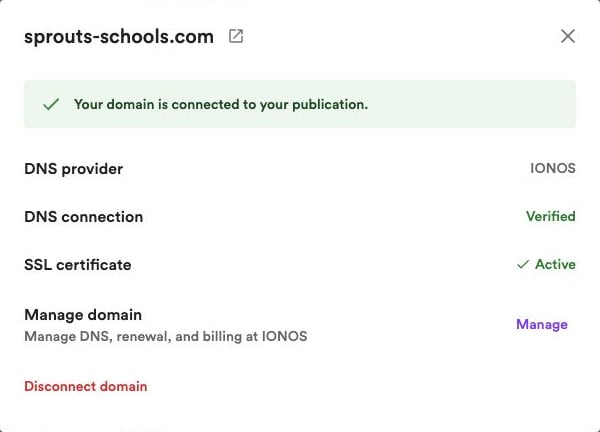
- Manage domain — Manage DNS, renewals, and billing together when they’re handled by the same provider.
- DNS settings — Open the provider that manages your DNS records.
- Registration and billing — Open your registrar’s account tools when a separate link is available.