
1
Connect your YouTube channel
When you sign up, you’ll connect your YouTube channel. Convella automatically pulls in your channel information and builds a website tailored to your content.
Your website is typically ready in 2–3 minutes. We’ll also start turning 10–15 of your existing videos into articles.
2
Review your website
Open the Website page to review your site. Once your website and initial articles are ready, you can launch whenever you’re happy with everything.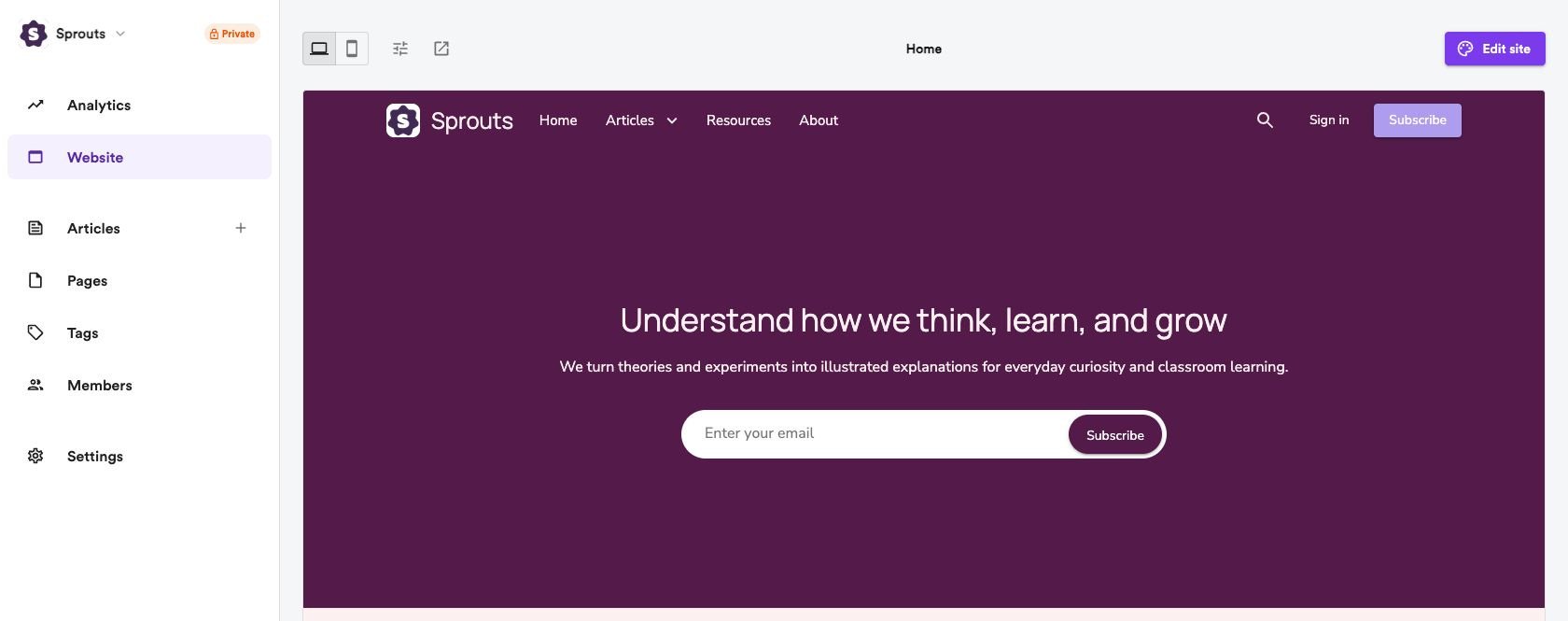
- Customize your design — Choose a theme and personalize your website’s appearance.
- Review your articles — Check your generated articles and adjust your article generation settings if needed.
- Review your pages — Update your website’s pages and content.
3
Launch your website
When you’re happy with your website, you’re ready to go live!Choose a plan using Launch your website at the bottom of the sidebar. After upgrading, if your website is still private or offline, this widget changes to Ready to go live?. Click Go live to open the launch flow and make your website public.You can also connect a custom domain to give your website its own address.
What’s next?
Your website is live, but there’s plenty more you can do with Convella:Automations
Keep your website updated as you publish new videos.
Newsletters
Grow your email audience and send articles to subscribers.
Memberships
Build your own community with free or paid memberships.