
Converting videos
There are two ways to turn your videos into articles:- Manually — Select videos from your YouTube channel to convert whenever you want.
- Automatically — Convert new videos as they’re published and work through your existing videos over time. Learn about automations.
Manual conversions use your monthly allowance first, then extra credits. If your selection exceeds both, select fewer videos or have the website owner buy a credit pack. Learn about usage and credits.
Convert videos manually
1
Create a new article
Click + New on the Articles page.
2
Select your videos
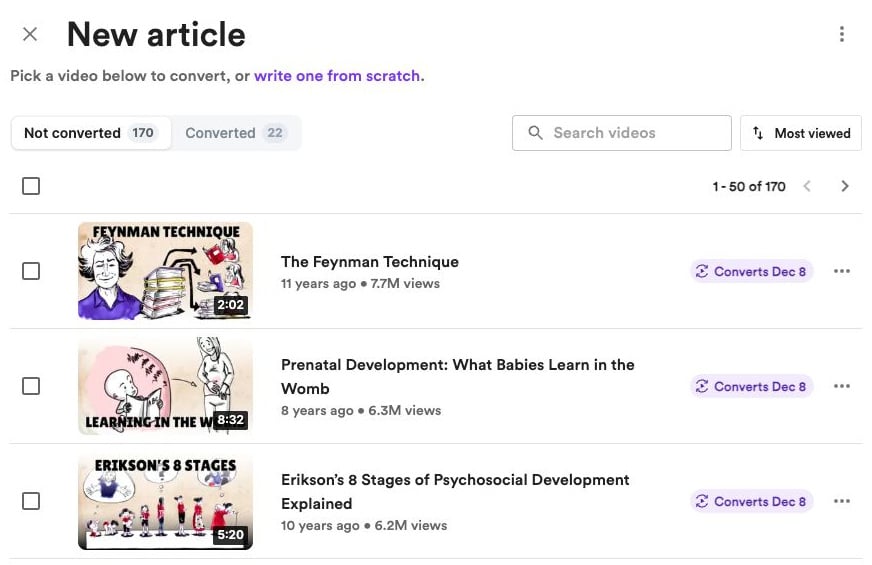
Select the videos from your channel you want to convert.
3
Generate the article
Click Generate & publish. If new-upload automation is on, Convella warns you when your selection would reduce your remaining monthly allowance to three conversions or fewer. You and your teammates can see how many conversions would remain and when the allowance resets. Choose Generate now to continue or Go back to change the selection.
Adding videos to your library
Open the ⋯ menu in the video picker to:- Scan for new videos — Check the latest 50 uploads from your connected channel for missing videos
- Import older videos — Scan up to 500 older uploads at a time, skipping Shorts and videos already in your library. Progress is saved so you can continue later. This option appears only when Convella has a saved scan checkpoint confirming there are more uploads; it disappears when the end is reached. Older websites without a checkpoint won’t show it
- Upload video — Choose a video file from your device